This Website Was 100% Vibe Coded
What if I built a website without writing a single line of code or docs? Just talking. 4 sessions, 18 commits, and you are looking at the result.
What happens if I force myself to write zero code?
Not “mostly AI with some tweaks.” Not “AI-assisted.” Absolutely zero. No code. No config files. No documentation. Just talking to an AI and seeing what comes out.
I had one constraint: a Cloudflare account. Whatever we built would deploy there. Everything else - the framework, the libraries, the architecture - Claude Code would decide.
Four sessions later, you’re looking at the result.
August 23: First Contact
My opening prompt was deliberately vague:
“I want a portfolio that feels like me. Personal, not another generic developer template.”
Claude’s first attempt was… very developer. Dark mode. Terminal aesthetic. Monospace fonts everywhere. The kind of site that says “I take myself very seriously.”
I laughed. It was technically good, but it wasn’t me.
The Wife Factor
Here’s where the story gets weird.
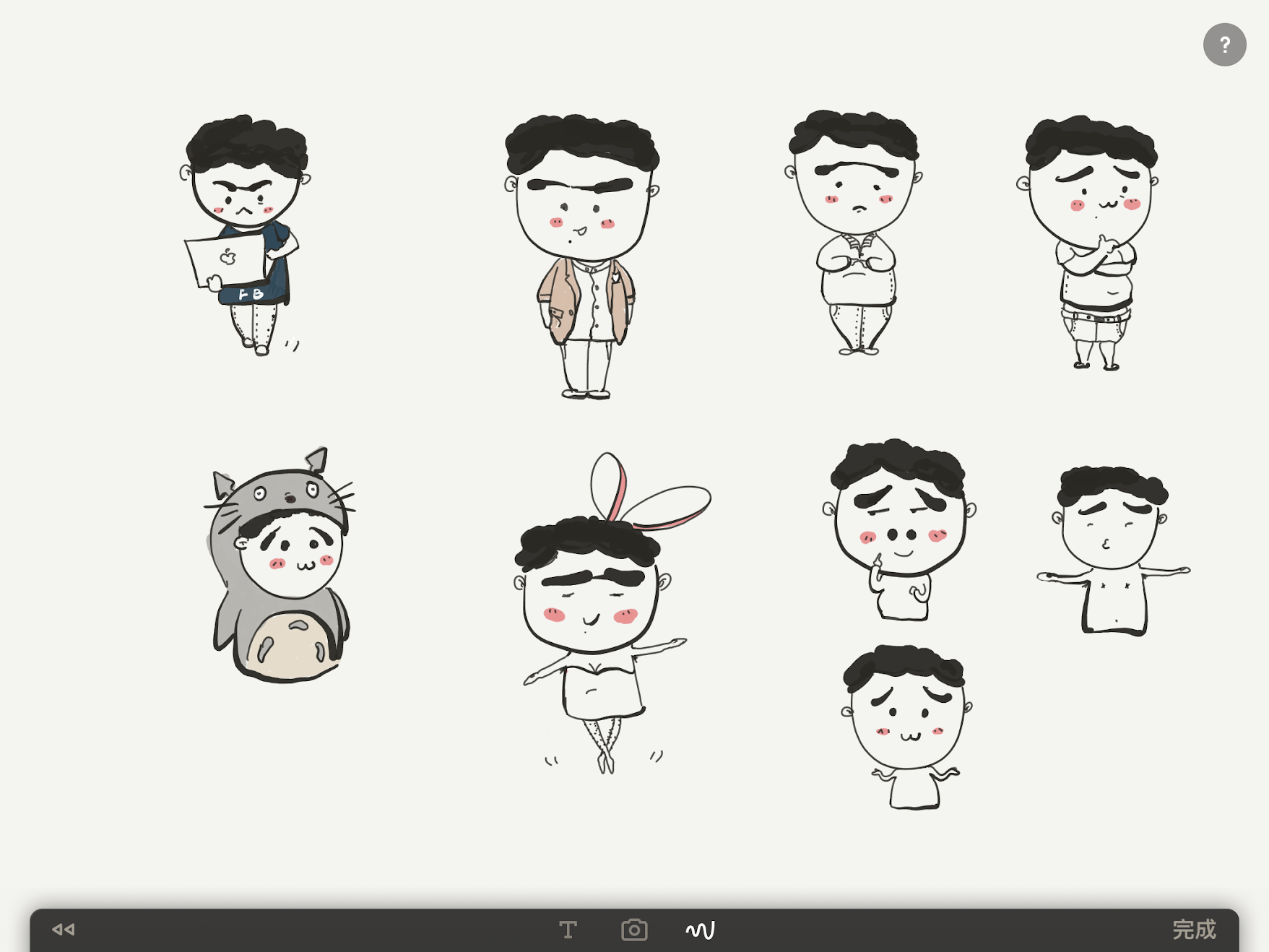
My wife doodles these little cartoon versions of me on her iPad. Different moods - thinking, happy, working, crying (when debugging, presumably). They’re adorable. I wanted them on my site.
The problem: They existed as messy screenshots. Multiple characters crammed into single images. Cream-colored backgrounds. No transparency.
I spent 20 frustrating minutes with Photoshop online. Then remove.bg mangled the outlines. Then some other free tool that I’ve already forgotten the name of.
Then it hit me: I have an AI right here.
“Can you write a Python script to extract each character from this image and give them transparent backgrounds?”
Three Scripts, Ten Minutes
What followed was the most satisfying debugging session I’ve ever had - and I wasn’t the one debugging.
Script 1: The Extraction
Claude wrote an OpenCV script that found contours, drew bounding boxes, and sorted characters by position. I ran it. Characters extracted. But they still had cream backgrounds.
# The core idea: find edges, draw boxes, crop
gray = cv2.cvtColor(img, cv2.COLOR_BGR2GRAY)
_, thresh = cv2.threshold(gray, 0, 255,
                          cv2.THRESH_BINARY_INV + cv2.THRESH_OTSU)
contours, _ = cv2.findContours(thresh, cv2.RETR_EXTERNAL,
                               cv2.CHAIN_APPROX_SIMPLE)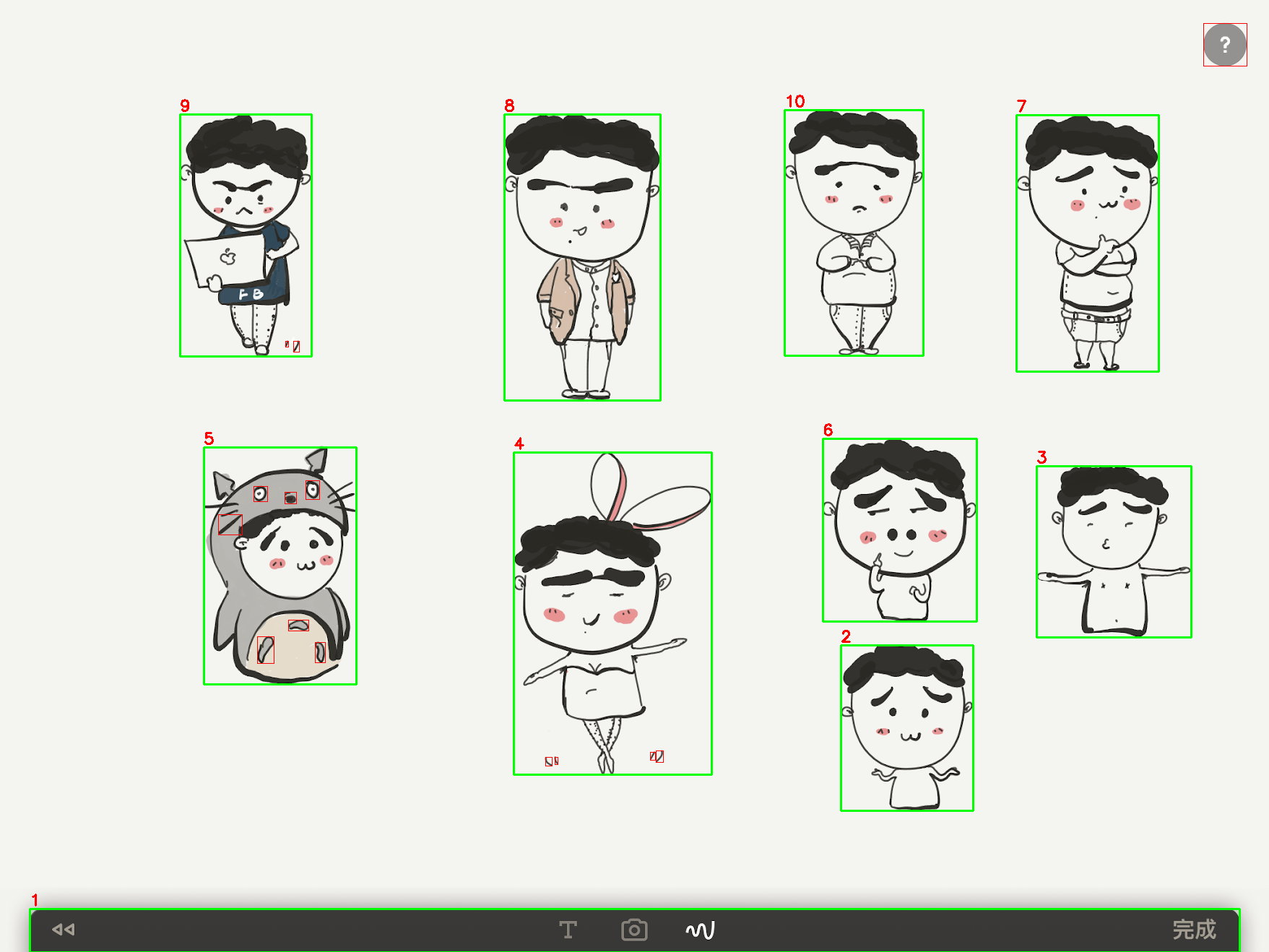
Script 2: The Background Removal
“Now make the backgrounds transparent.”
Claude came back with something surprisingly sophisticated - HSV color space masking combined with edge detection. It sampled corner pixels to auto-detect the background color, then used Canny edge detection to preserve the character outlines while nuking everything else.
The output was… almost perfect. Some characters had weird halos and false coloring.

Script 3: The Polish
“There are artifacts around the edges. Can you clean those up?”
Morphological operations. Gaussian blur on the alpha channel. A final pass that filled holes inside detected contours.

Twenty characters. Perfect transparency. Three conversations.
The scripts are still sitting in a folder on my machine: extract_characters.py, remove_backgrounds.py, remove_backgrounds_fixed.py. Evidence of iteration I didn’t have to do myself.
Finding the Vibe
With characters in hand, I needed to rethink the design.
“Forget the dark terminal look. Make it feel like a personal sketchbook. Warm. Approachable.”
Claude went full craft-project: cream paper backgrounds, hand-written fonts, wobble animations, sketch-style borders. It looked like a Moleskine notebook threw up on my screen.
Too far. Back up.
“Clean and minimal, but inject personality through the character illustrations. The character should feel like a guide.”
That prompt changed everything.
Now the “thinking” character sits next to my blog. The “working” character anchors the Projects page. The “celebrating” one waves hello on Contact. Each page has a personality.
The Commit Log
Here’s what five days looked like in git:
Aug 23: Build personal portfolio with hand-drawn sketch aesthetic
Aug 23: Add CLAUDE.md for Claude Code guidance
Aug 24: Add character assets and update portfolio styling
Aug 24: Transform portfolio with playful character-driven design
Aug 24: Fix TypeScript build errors for production deployment
Aug 25: Replace bounce animation with gentle wiggle
Aug 25: Add interactive stats section
Aug 26-27: Domain setup, final polish
Eighteen commits. Each one a conversation turn. Reading git log is like reading a build diary.
The Stack (Claude’s Choices)
Remember: I didn’t pick any of this. I just said “I have a Cloudflare account.”
| Layer | Technology |
|---|---|
| Frontend | React + TypeScript |
| Styling | Tailwind CSS |
| Backend | Hono on Cloudflare Workers |
| Database | D1 with Drizzle ORM |
Claude picked React. Claude picked Tailwind. Claude picked Hono. When I asked “what database should we use?”, Claude suggested D1 because it’s Cloudflare-native. I just said “sure.”
What I Actually Did
Let’s be precise about labor.
Claude wrote:
- Every line of React, TypeScript, CSS
- All three Python image-processing scripts
- Build configuration, package.json, tsconfig
- The README and CLAUDE.md
- Bug fixes when TypeScript complained
- Git commit messages
I provided:
- “More playful”
- “Less corporate”
- “That animation is too bouncy”
- “I have a Cloudflare account”
- Opinions
I was a creative director who couldn’t code. Claude was the entire engineering team.
The Honest Numbers
| Metric | Value |
|---|---|
| Sessions to ship | 4 |
| Git commits | 18 |
| Character images extracted | 20 |
| Python scripts for image processing | 3 |
| Pages built | 8 |
| Lines of code I wrote | 0 |
What Surprised Me
Speed compounds. Day 1 was slow - lots of back-and-forth establishing the vision. By Day 3, Claude understood what I wanted before I finished explaining it.
Specificity is everything. “Make it better” produces nothing useful. “Reduce the bounce animation to an 8-degree wiggle” produces exactly what you imagined.
Debugging is different. When something broke, I didn’t read stack traces. I described symptoms: “the page flickers when I hover over the character.” Claude fixed it faster than I could have Googled it.
The hard part moved. I didn’t struggle with implementation. I struggled with knowing what I wanted. Turns out, articulating vision clearly is its own skill.
Would I Do It Again?
I’m doing it right now.
Here’s the twist: I’m writing this article four months after the build. I didn’t take notes. I didn’t document anything. I just… built a website and moved on with my life.
So how did I reconstruct the story? Claude Code dug through the evidence:
# Find the commit history from August
git log --format="%h %ad %s" --date=format:"%Y-%m-%d %H:%M" \
  --after="2025-08-01" --until="2025-08-31"

# Dig through Claude Code's own conversation history
ls ~/.claude/projects/

# Count the Python scripts in my working folder
ls ~/Documents/characters/*.py

# Find the character extraction debug images
ls ~/Documents/characters/output/
Every number in this article? Verified from git history. The prompts I used? Pulled from Claude’s session logs. The session count? Calculated from commit timestamps. The Python scripts? Still sitting in that folder, exactly where Claude left them.
Even this blog post was vibe coded. Claude wrote the first draft. I edited for voice and accuracy. The circle is complete.
The question people ask is “can AI write code?” That’s the wrong question. Obviously it can.
The real question is: can you explain what you want clearly enough to get what you actually need?
That’s a skill worth developing.
Built with Claude Code over 4 sessions in August 2025. Character illustrations by my wife. Vision by me. Implementation by AI.